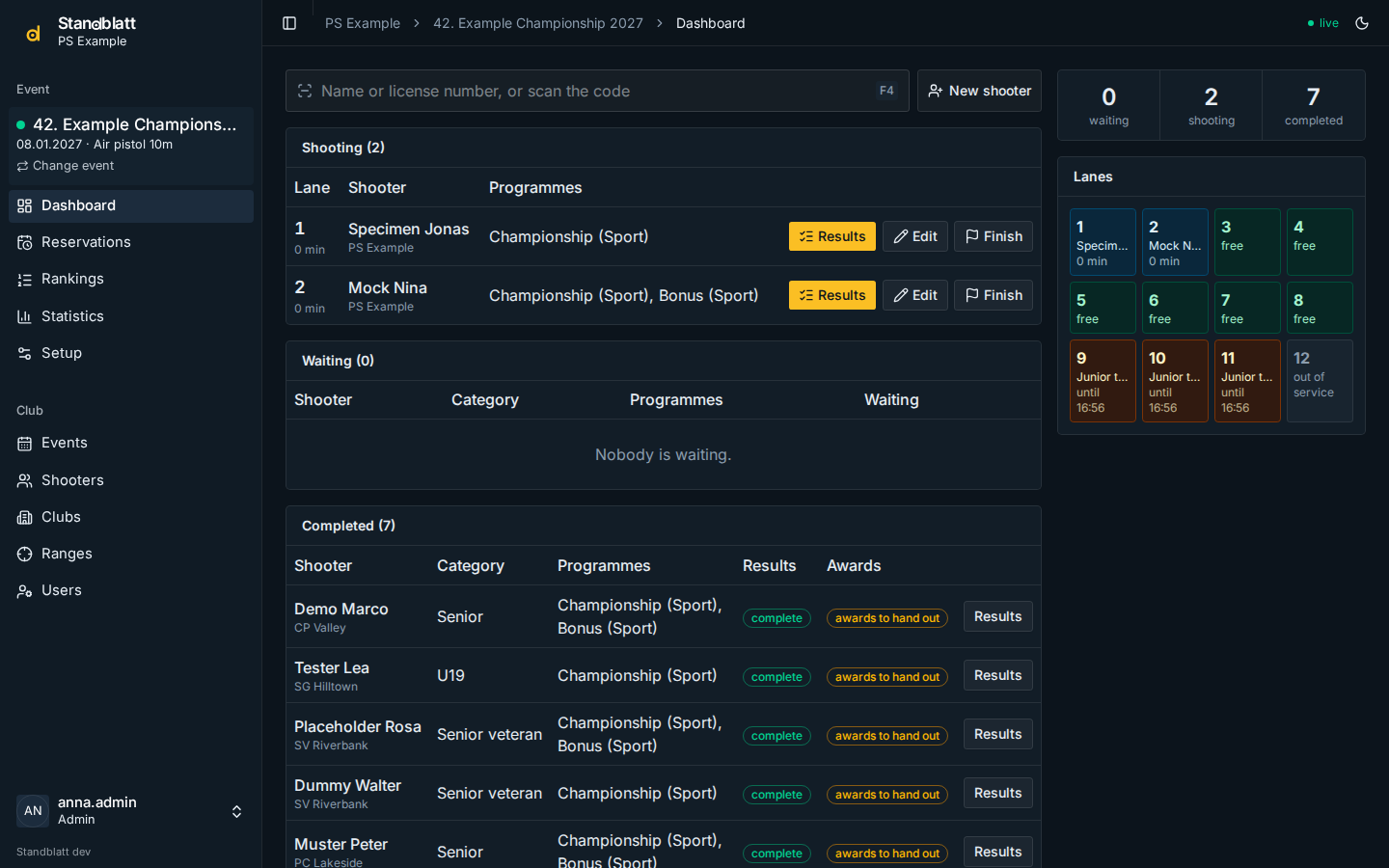
Dashboard
The dashboard is the desk view of an event: who is shooting on which lane, who is waiting, who is done.
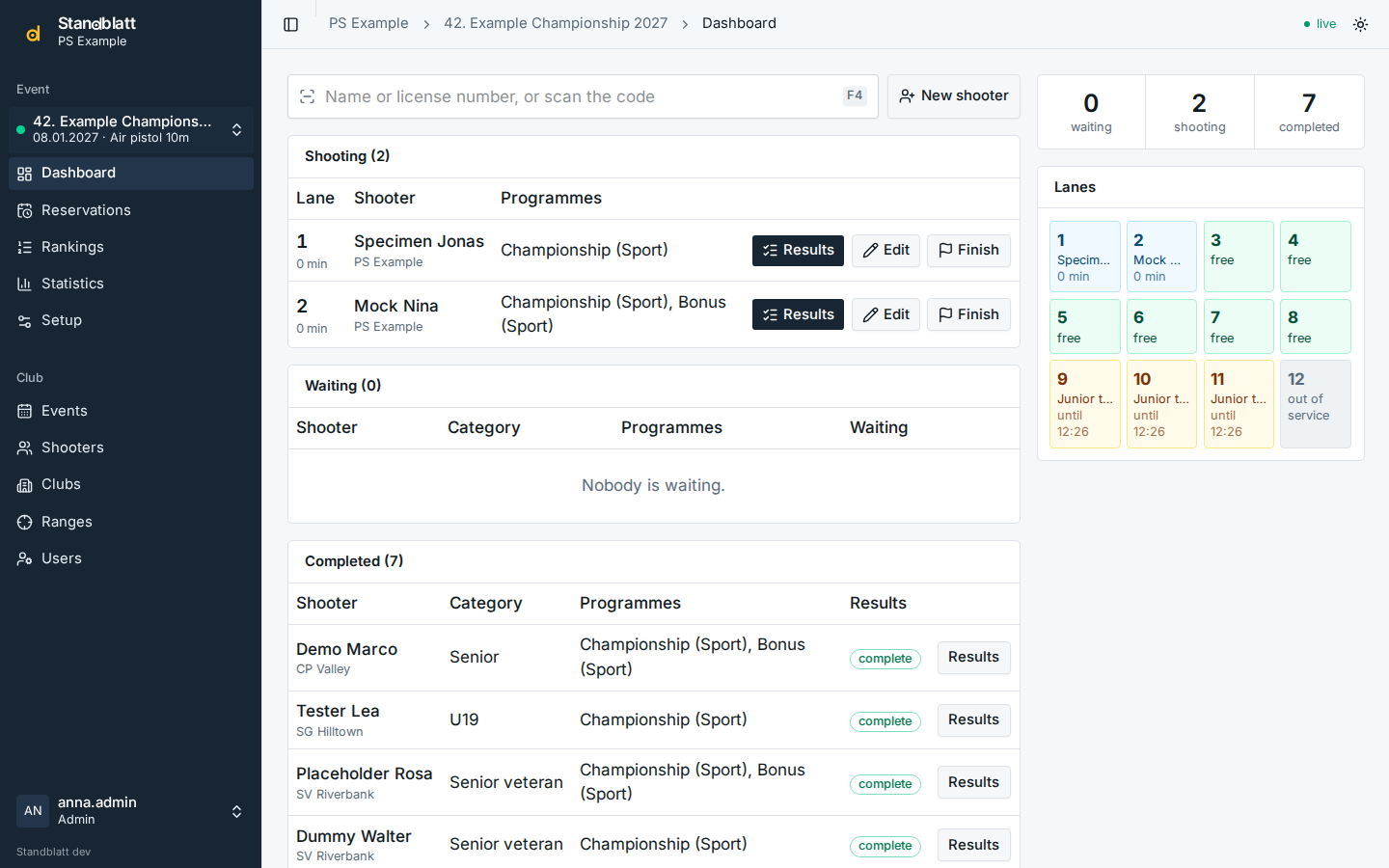
- Shooting: registrations on a lane, with the time since they started, the buttons Results, Edit and Finish. When the event setting The organizer hands out the ammunition is on, Ammo records that it was handed out and a green ammo badge shows it afterwards (see Helpers).
- Waiting: registrations without a lane (for example when all lanes are taken).
- Completed: registrations whose programmes all have results, with an awards to hand out or awards handed out badge and the button Handed out (see Results).
- Lanes: every lane is free, occupied (with the shooter), reserved (with the reservation and its end) or out of service. A reservation shows from its lead time on. An event on several ranges shows one grid per range, and the registration dialog groups the lanes by range; a shooter who moves to another range is finished and registered again there.
- The figures at the top count waiting, shooting and completed registrations.
Everything updates live: a result entered at another computer or a reservation that starts appears without reloading. The dot next to live in the header shows the connection; after a network interruption the page catches up by itself.
Search and scan
Press F4 anywhere on the dashboard to jump into the search field.
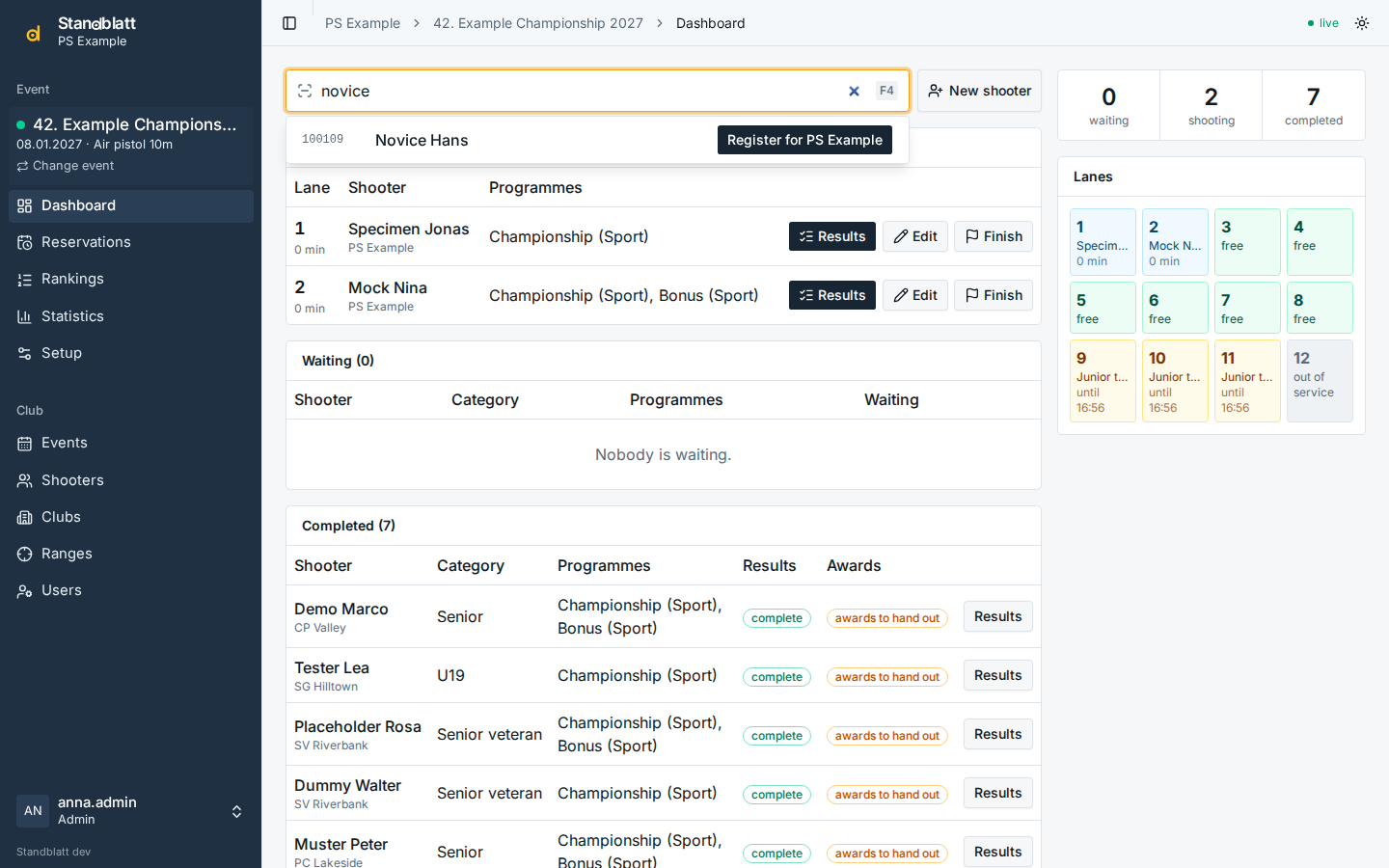
- Type a license number (digits only, leading zeros optional), a name (part of first or last name) or first and last name in either order.
- Each hit offers Register for <club> for every club of the shooter, or Open registration if the shooter is currently registered.
- New shooter creates a shooter and opens the registration right away.
- A hand scanner reading the registration code on a lane sheet or control strip types the code and Enter: the results of that registration open directly.
Finish shooting
Finish ends a registration before all results are in, for example when a shooter gives up or hands in the targets later. The registration moves to Completed and its lane becomes free; missing results can still be entered.
Dark mode
The sun/moon button in the header switches between light and dark mode; the choice is kept in the browser.