Results
Open the results of a registration with the Results button on the dashboard or by scanning the code on the lane sheet.
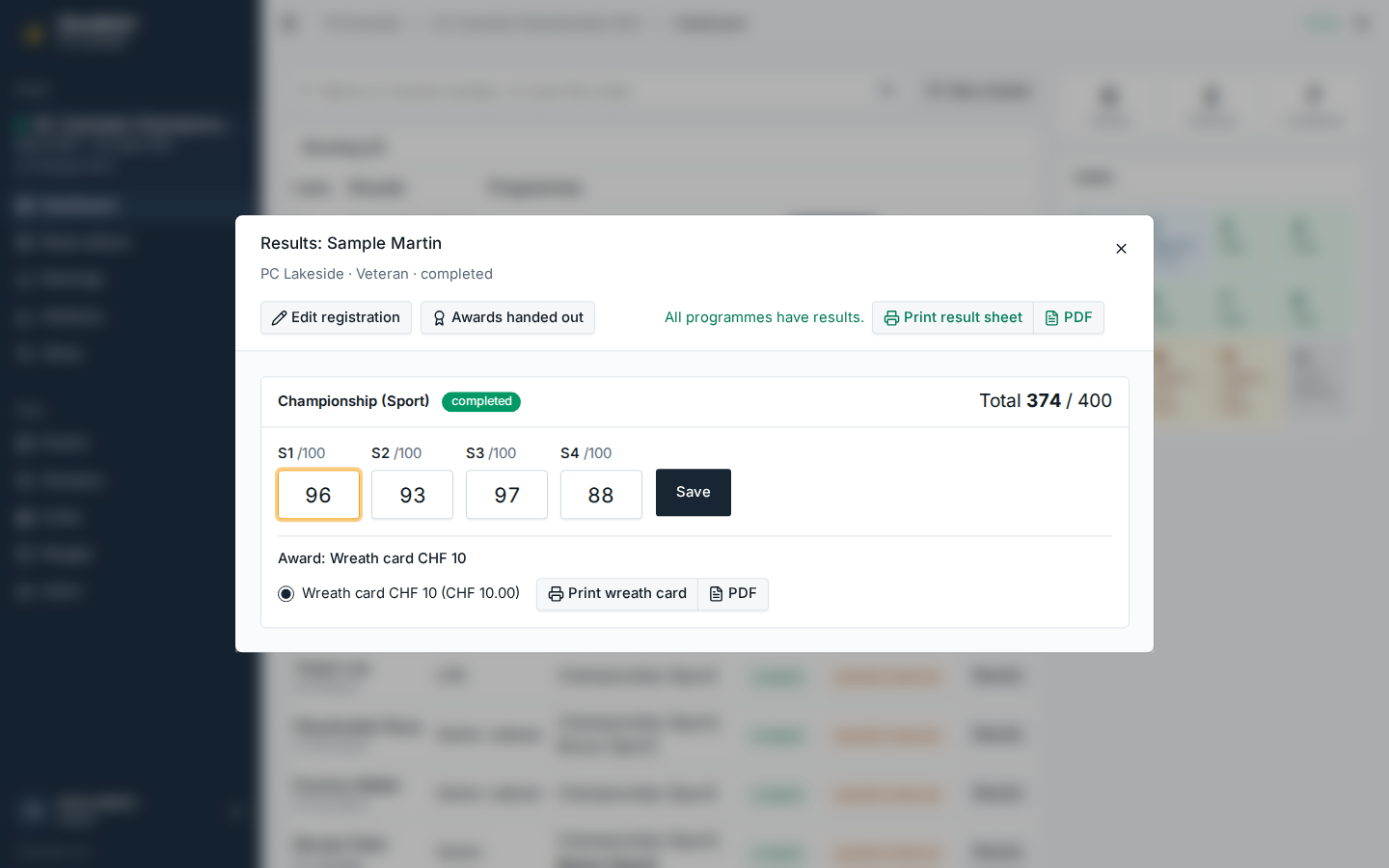
Entering series
- The cursor starts in the first empty series. As soon as another digit would exceed the series maximum, it moves on to the next field, so a sequence like
96 93 97 88can be typed without the mouse. - Series that track mouches have a second field for them.
- Enter or Save stores the programme. Values above the maximum are marked and cannot be saved.
- Saving again replaces the results; the chosen award stays as long as the new total still reaches it.
A combined programme shows which series it takes from its source programme and fills in automatically once the source has results.
When every programme has results, the registration is completed and its lane is free again. Print result sheet prints an A5 summary for the shooter.
Awards
Once a programme is complete, the awards the total reaches in the shooter's age category are listed, the most valuable first; of several wreath cards (or several prizes in kind) only the most valuable one reached is offered. Saving the results already gives the most valuable one; picking another one saves it at once. For a wreath card, Print wreath card prints the shooter's data onto a pre-printed A6 card; the value is printed only if the event setting Print the award value on wreath cards is on (in figures and in words).
Handing out awards
When the shooter collects the wreath cards, prizes and cash at the desk, press Awards handed out in the results dialog or Handed out in the Completed list of the dashboard. The registration then carries the time of the handout and a green awards handed out badge; until then it shows awards to hand out. The report Awards to hand out (see Statistics and reports) lists what is still open and the cash to pay out. A results clerk with a helper link may mark awards as handed out too.